 New to Shopify? Free trial, then $1/month for your first 3 months. Start free trial →
 Where is your store?
Ryviu works with both – pick yours to continue.









Shipping transparency is now a major competitive advantage for Shopify merchants. With so many brands offering instant delivery estimates and clear shipping fees, customers expect accurate information—long before they reach the checkout page. This is why real-time shipping calculators have become an essential feature for Shopify stores that want to boost trust, reduce cart abandonment, and elevate the overall shopping experience.
Real-time shipping calculators allow shoppers to see exact shipping fees based on live carrier rates, their location, and product weight. Instead of waiting until checkout to discover additional charges, customers can estimate shipping costs directly on product pages, carts, or dedicated calculators. This upfront transparency not only improves confidence but also increases the chances of conversions, especially for price-sensitive buyers or international shoppers.
In this guide, you’ll learn why real-time shipping calculators matter, how to add them to your Shopify store, the best practices for implementation, and which Shopify apps can help you set everything up easily.
Shopify merchants frequently struggle with cart abandonment caused by unclear or unexpected shipping costs. When buyers discover extra fees at checkout, they often feel misled, even if it wasn’t intentional. Real-time shipping calculators solve this by giving full visibility at earlier points in the shopping journey.
They also help Shopify stores compete against marketplaces like Amazon, which set a high standard for delivery transparency. By offering accurate shipping estimates, Shopify merchants can narrow the trust gap and encourage shoppers to stay on-site rather than compare prices elsewhere.
This transparency becomes even more valuable when selling internationally or using multiple shipping carriers. Each shipping zone has different rates, and customers quickly lose patience if they need to guess the total cost. A real-time calculator removes ambiguity and lets them make confident, informed purchase decisions.
Clear upfront costs lower the likelihood that customers leave due to "unexpected fees." This directly improves your Shopify store’s conversion rate.
Displaying shipping fees early signals honesty. Shopify customers are more willing to trust stores that openly show costs instead of hiding them behind the checkout button.
Real-time rates paired with delivery-time estimates reassure buyers—especially during peak seasons like Black Friday, Christmas, and Lunar New Year.
If your Shopify store ships globally, real-time calculators help visitors from different regions instantly estimate fees without messaging support.
CS teams often receive repeated questions like “How much is shipping to X country?” A shipping calculator eliminates most of these inquiries.
When paired with free-shipping thresholds, shoppers often add more items to qualify—because the calculator shows their progress clearly.
Placement is crucial for increasing trust and helping customers make decisions faster. Real-time shipping calculators can be added to:
Offering multiple touchpoints increases the perceived transparency and reduces hesitation at the final step.
This is the most important part of the setup, and Shopify offers several different paths depending on whether you want to use built-in features, apps, or custom code. Below is an expanded, step-by-step guide to help you implement real-time shipping calculations smoothly.
Before you can enable true real-time shipping calculations, Shopify requires:
If you do not meet these requirements, your store cannot fetch live carrier rates from shipping APIs.
To check your eligibility:
This step is essential, as without it, your shipping calculator can only show fixed or manual rates.
Once carrier-calculated shipping is enabled, Shopify can pull live rates from major carriers through either:
You simply connect your carrier account from Settings → Shipping and Delivery → Carrier Accounts.
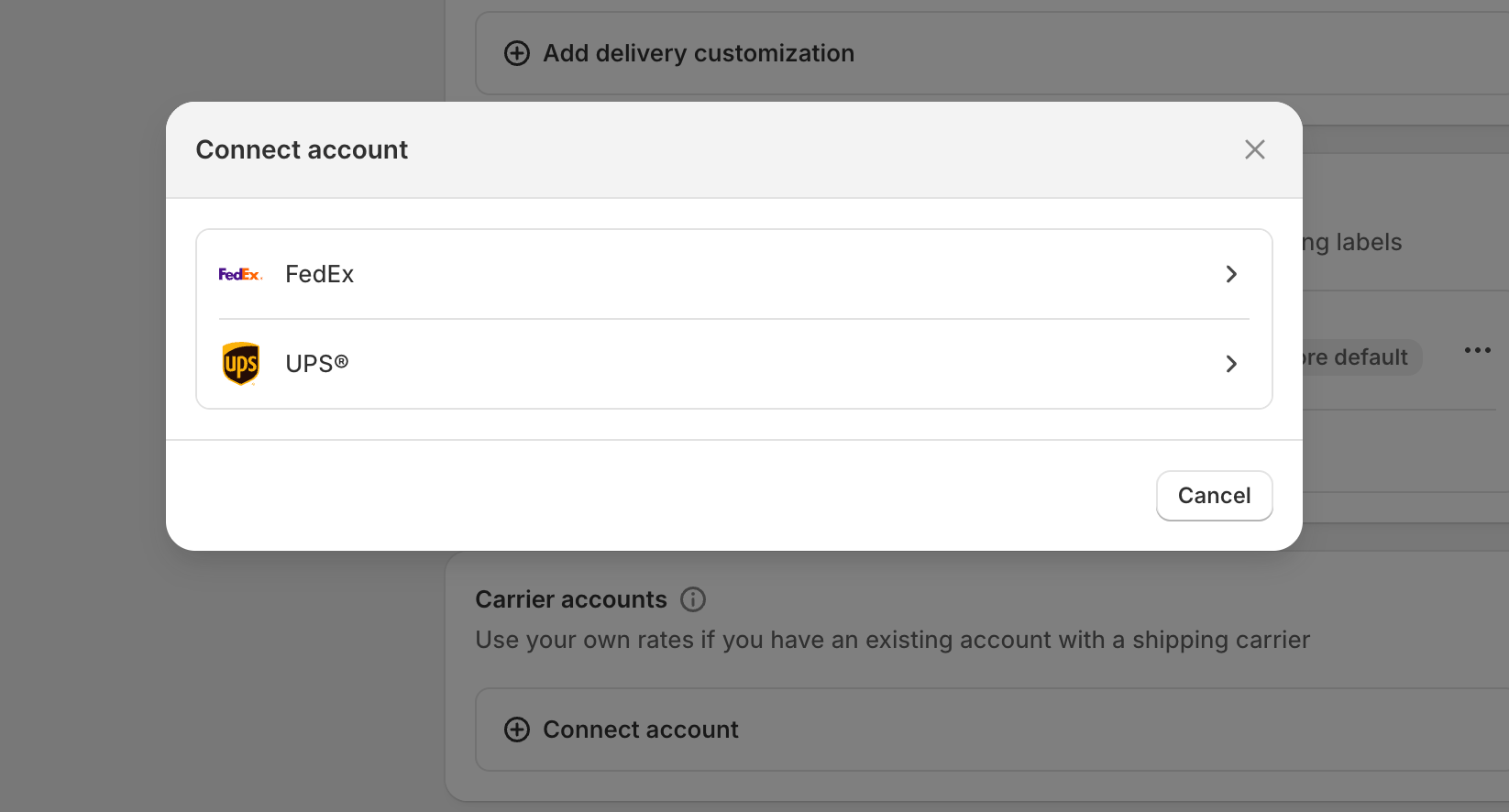
After connecting, test that real-time rates appear in the shipping settings.
The simplest way for most merchants is to install a shipping calculator app, for example, Shipping Rates Calculator Plus, Easyship, Parcelify.
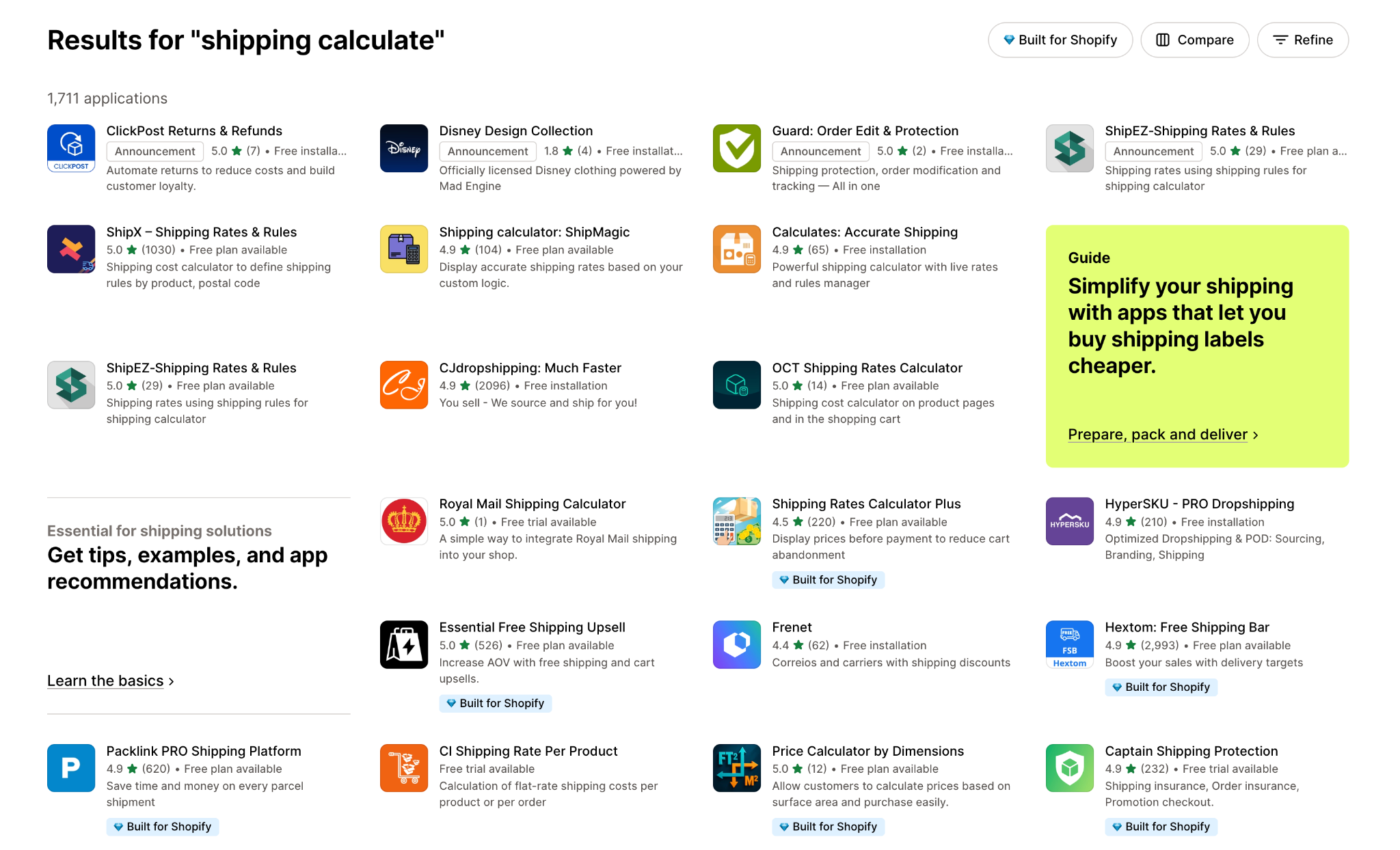
These apps provide:
To install these app, you can typically follows this process:
Apps are the fastest way to launch a calculator without editing theme code.
Most shipping calculator apps include an embeddable widget or code snippet.
You can place it by:
For some themes, you might need to:
Whatever method you go for, always preview changes on both desktop and mobile.
Shipping calculators only work well if your logistics data is correct.
So you need to:
Incorrect data leads to untrustworthy shipping estimates, defeating the purpose entirely.
Before making your shipping calculator live, test multiple conditions:
Also test locations known to require surcharges (remote zones).
This final step prevents customer complaints and maintains trust from day one.
Your shipping calculator should appear where customers make purchase decisions, such as product pages and the cart. Visible placement reduces hesitation and prevents shoppers from feeling unsure about the final cost. When customers can estimate shipping early, they feel more confident moving forward. This simple change often results in a noticeable drop in cart abandonment.
Showing estimated delivery dates helps customers plan and reduces uncertainty. Many shoppers care just as much about delivery time as cost, especially during holidays or urgent purchases. This transparency builds trust and improves satisfaction. When buyers see clear timelines, they’re far more likely to complete checkout.
Giving customers different choices, standard, express, or local pickup, makes your store feel more flexible. Each shopper has different needs, so a single shipping method may not fit all. Offering variety increases perceived value and control. This approach helps convert both cost-sensitive and speed-focused buyers.
Free shipping remains one of the strongest purchase motivators. Use progress messages or bars to show shoppers how close they are to unlocking free delivery. This encourages customers to add more items to their cart. The combination of transparency and incentives can significantly increase AOV.
A clean, easy-to-read calculator design prevents confusion and improves usability. Avoid clutter or overly technical terms that may overwhelm shoppers. Make sure the calculator loads instantly and works smoothly on mobile devices. A simple interface helps maintain trust during the buying process.
Shipping prices change due to carrier updates, fuel surcharges, and seasonal demand. Regular updates ensure your calculator always reflects accurate costs. Overcharging or undercharging can damage trust or reduce profit. Keeping rates current shows customers your store is reliable and well maintained.
Adding real-time shipping calculators to your Shopify store is one of the most powerful ways to improve transparency and earn customer trust. By showing accurate shipping rates, estimated delivery dates, and clear cost breakdowns early in the buying journey, you reduce friction and increase conversions.
Whether you integrate a built-in carrier account, install a Shopify app, or use a multi-carrier service like Easyship, the result is the same: shoppers feel more confident, and confident shoppers are far more likely to buy.




