 New to Shopify? Free trial, then $1/month for your first 3 months. Start free trial →
 Where is your store?
Ryviu works with both – pick yours to continue.








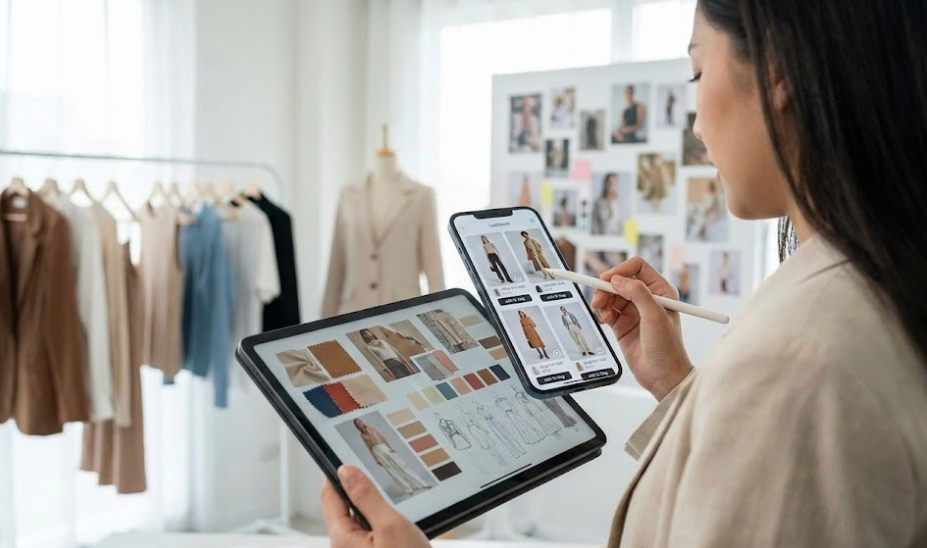
Lookbooks have evolved from static inspiration galleries into powerful conversion tools, especially in a mobile-first shopping world. As more shoppers browse, discover, and buy directly from their phones, the way lookbooks are designed has a direct impact on engagement and revenue.
A lookbook that feels immersive on desktop can feel frustrating or confusing on mobile if it is not intentionally designed for smaller screens and shorter attention spans. Designing mobile-first lookbooks is not about shrinking desktop layouts, but about rethinking storytelling, navigation, and interaction around how people actually shop on mobile devices.
Mobile shopping often begins with exploration rather than intent. Shoppers scroll casually, tap instinctively, and respond to visuals faster than text. Lookbooks align naturally with this behavior when they emphasize inspiration before transaction.
On mobile, shoppers expect flow rather than structure.
Mobile users rarely spend long, uninterrupted sessions browsing a store. They dip in and out throughout the day. Lookbooks must deliver value quickly, without demanding deep commitment upfront.
This context shapes every design decision, from layout to content density.
Traditional product grids overwhelm mobile users. Lookbooks work because they tell a story—how products fit into real life, not just how they are priced.
On mobile, storytelling must be immediate and visual. Long explanations reduce momentum.
The first image or screen in a mobile lookbook must create an emotional hook. Without it, users swipe away before discovering products.
Strong entry points include lifestyle scenes, relatable contexts, and clear visual themes.
Mobile-first lookbooks succeed when each screen communicates a single idea. Crowded layouts force users to zoom, scroll, or guess where to tap.
Whitespace and spacing are not decorative; they are functional tools that guide attention.
Vertical scrolling feels natural on mobile. Horizontal carousels and multi-column layouts add friction and reduce discoverability.
Designing for vertical flow allows stories to unfold intuitively.
Mobile interactions are imprecise compared to desktop clicks. Lookbook elements must be easy to tap without frustration.
This includes:
Good touch design reduces accidental exits and missed interactions.
Every additional tap or gesture adds friction. Mobile lookbooks should reveal information progressively, without forcing users to work for it.
Smart defaults and clear visual cues help maintain momentum.
A mobile lookbook should blur the line between inspiration and shopping. Products should feel discoverable without interrupting the visual experience.
Subtle product tags and overlays perform better than aggressive call-to-action buttons.
Abrupt jumps from lookbook to product page can break immersion. Smooth transitions preserve emotional engagement.
Maintaining visual continuity builds trust and reduces drop-off.
Mobile screens magnify text fatigue. Lookbooks should rely on visuals first and text second.
When text is necessary, it should be:
Clear typography improves accessibility and flow.
Size, contrast, and spacing communicate importance faster than words. Effective hierarchy helps users understand where to look next without thinking.
This reduces cognitive load and improves engagement.
Lookbooks are image-heavy by nature, but mobile users are unforgiving of slow load times. Performance directly impacts abandonment rates.
Optimized images and lazy loading protect the experience without sacrificing quality.
Mobile users often browse on unstable networks. Lookbooks should degrade gracefully, maintaining usability even when images load slowly.
Reliability builds confidence.
A lookbook should feel like a natural extension of the store, not a separate experience. Inconsistent design breaks trust.
Colors, typography, and tone should align with the broader brand identity.
Mobile shoppers often return multiple times before purchasing. Lookbooks should reward revisits with clarity and familiarity.
Consistent structure helps users pick up where they left off.
For fashion, context is everything. Mobile lookbooks should emphasize movement, fit, and real-life scenarios.
Showing products in use reduces uncertainty and increases confidence.
These categories benefit from close-up details and environmental context. Mobile design should allow easy zooming and focus without clutter.
Detail-driven storytelling builds trust.
Assumptions about mobile behavior often fail in practice. Watching how users scroll, tap, and exit reveals friction points.
Small design adjustments can produce meaningful improvements.
Mobile-first design is not static. As devices, habits, and expectations evolve, lookbooks must adapt.
Regular testing ensures the experience remains intuitive and effective.
Designing lookbooks for mobile-first shopping behavior requires a shift in mindset. It is not about translating desktop experiences to smaller screens, but about embracing how people actually browse, feel, and decide on mobile.
By prioritizing visual storytelling, simplicity, touch-friendly interaction, and performance, mobile lookbooks become more than inspiration—they become a natural bridge to purchase. When designed thoughtfully, a mobile-first lookbook turns casual scrolling into meaningful engagement and lasting brand connection.




