 New to Shopify? Free trial, then $1/month for your first 3 months. Start free trial →
 Where is your store?
Ryviu works with both – pick yours to continue.








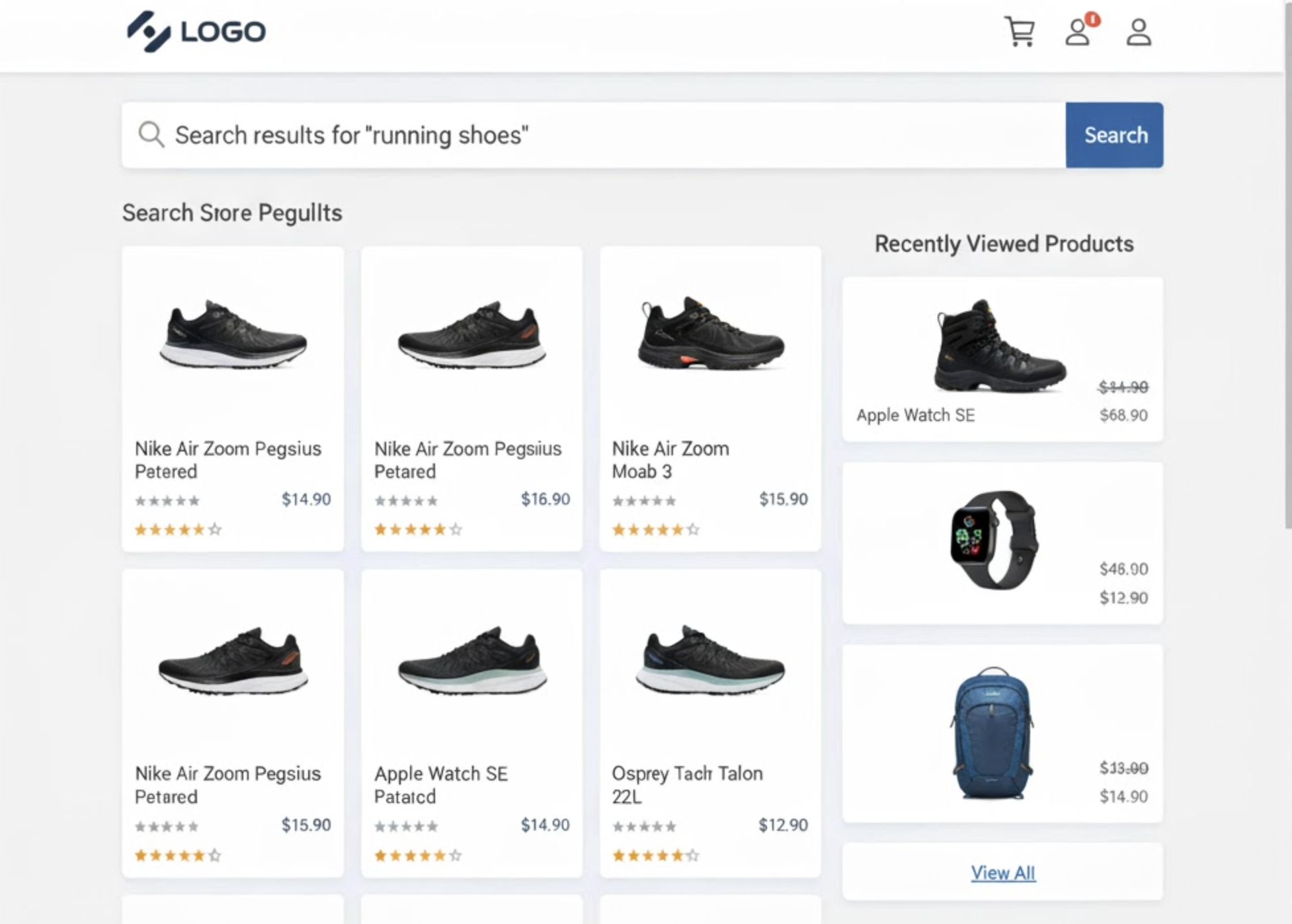
Online shoppers rarely buy on their first visit. They browse, search, compare, and often return to products later. However, once they perform a new search, those earlier items usually disappear from view. That’s where the “Recently Viewed Products” feature comes in.
By displaying recently viewed products beside search results, you help customers retrace their browsing path and rediscover items they were already interested in. This personalized touch can significantly enhance the shopping experience and boost conversion rates.
In this guide, we’ll explore why this feature matters and how to add recently viewed products beside search results in your Shopify store without touching a line of code.
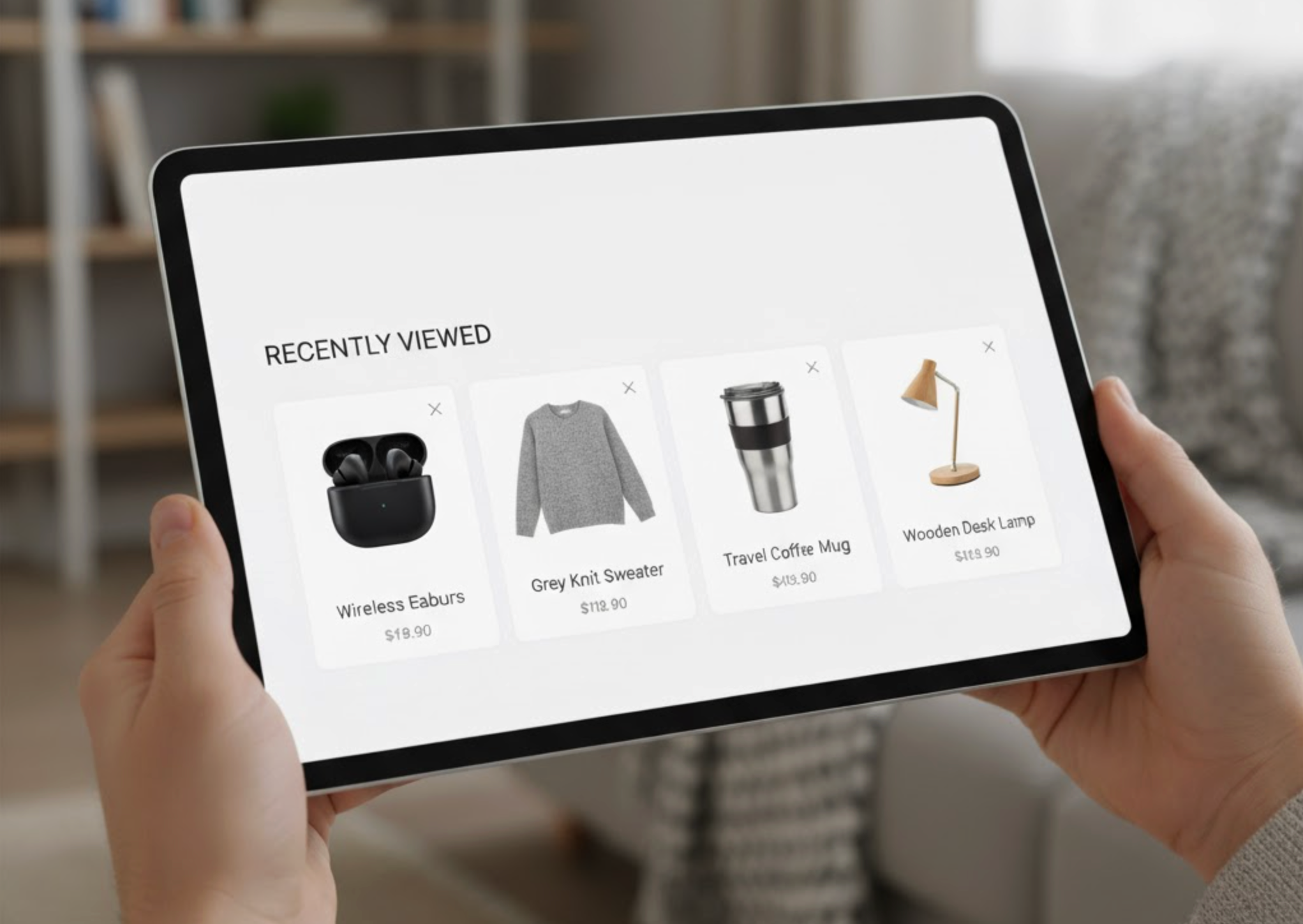
“Recently Viewed” products are automatically generated lists that show the items a shopper has interacted with recently, by viewing, clicking, or adding them to the cart. These lists are often displayed in sidebars, sliders, or dedicated sections like “You Recently Viewed” or “Your Browsing History.”
When displayed next to search results, they create a powerful connection between a customer’s past interest and their current search intent. For example, if a shopper searched for “black sneakers” but had earlier viewed “white trainers,” seeing both at once can encourage them to compare and make a faster decision.
This feature adds a personalized layer to your store, much like what major retailers such as Amazon or Zara use to keep customers engaged.
Adding a “Recently Viewed” section near your search results can provide convenience and directly impact engagement and revenue.
Online shoppers often get lost in multiple searches and categories. By showing their browsing history next to the search results, you help them quickly return to previously seen items without retracing their steps. This seamless navigation makes your store feel intuitive and user-friendly.
When customers can see recently viewed items while exploring new ones, they’re more likely to compare features, colors, and prices. This comparison process helps them make confident decisions faster, leading to more checkouts.
Customers feel more connected to stores that remember their behavior. A “Recently Viewed” widget gives your site a personalized, intelligent touch, like saying, “We saved what you liked.”
Many visitors leave a store simply because they can’t find a product they just saw. Having a persistent, visible record of previously viewed items reduces friction and keeps shoppers engaged longer.
Combining “Recently Viewed” products with search results keeps users within the purchase flow. The more they interact with your products, the more likely they are to add additional items to their cart.
This is the easiest and most flexible method. You can add “Recently Viewed” products to your search results page without writing a single line of code.
There are several Shopify apps that include built-in “Recently Viewed Products” widgets. Below are some popular options:
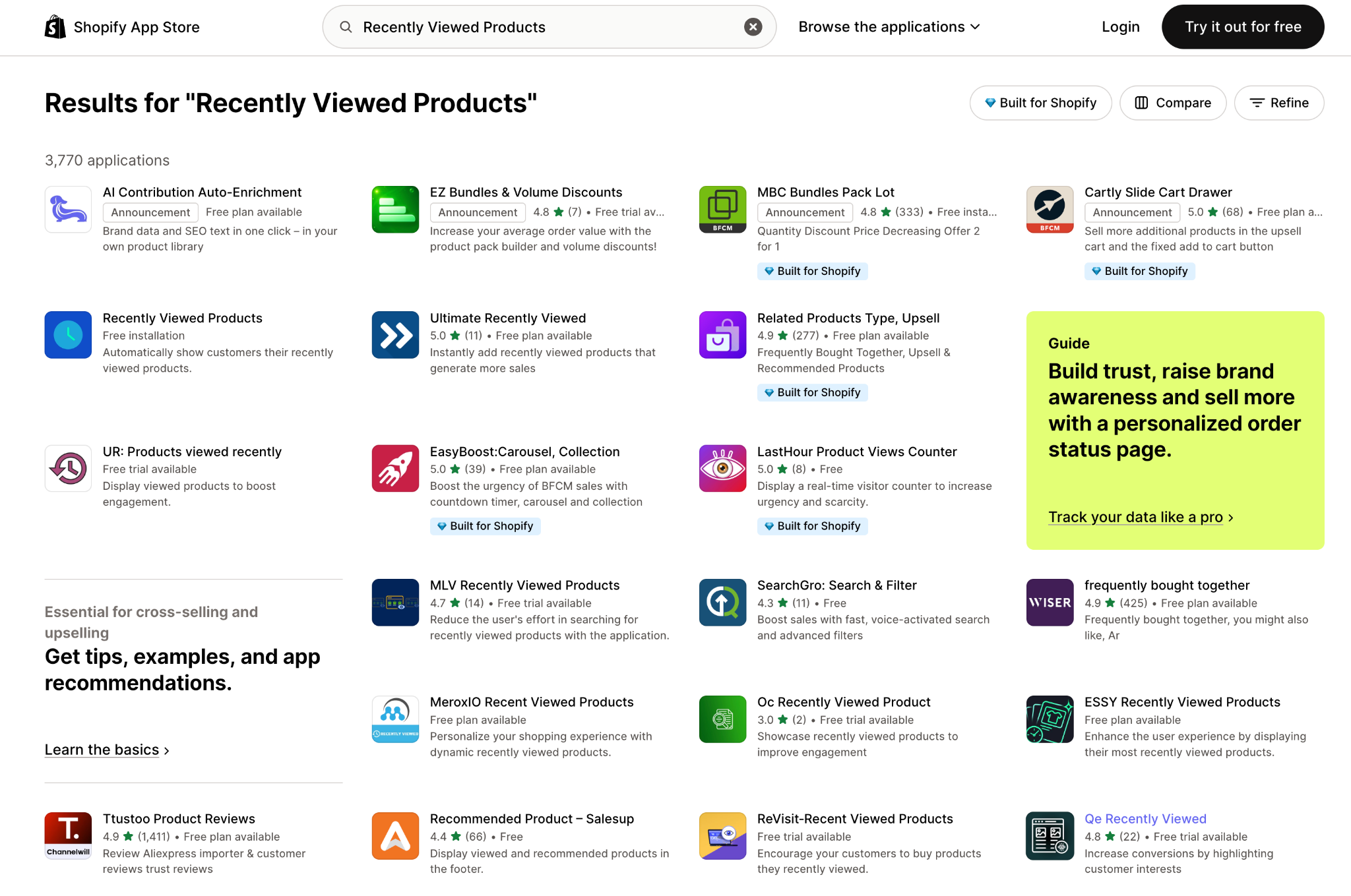
All of these apps have drag-and-drop interfaces, so you can set up the section in minutes.
Once installed from the Shopify App Store:
Most apps also allow you to exclude specific products or collections if you don’t want them to appear in the “Recently Viewed” list.
If your store theme supports flexible layout blocks, you can easily create a two-column design, one for search results and one for “Recently Viewed.”
Perform a few test searches:
Make sure the layout looks good on both desktop and mobile screens. You can also test how it behaves when a visitor hasn’t viewed any products yet (most apps show a placeholder or hide the section).
Most recommendation apps provide analytics dashboards showing how many users clicked on recently viewed items and how many of those clicks led to conversions. Monitor these metrics regularly and adjust placement or design based on results.
Once you’ve added “Recently Viewed” products beside your search results, it’s important to optimize the layout and functionality for maximum impact. A well-designed section should look seamless, perform quickly, and feel like a natural part of your store’s browsing experience. The following tips will help you fine-tune both design and performance so that this feature enhances conversions rather than distracting from them.
Less is more when it comes to sidebar content. Showing between 4 to 6 products is ideal because it gives shoppers enough variety without overwhelming them. Too many products can make your search results feel cluttered and distract users from the main listings, so keep the layout simple and focused.
Make your “Recently Viewed” section sticky so it remains visible as users scroll through search results. This approach ensures that your previously viewed products are always within sight, even on long pages. A sticky sidebar encourages interaction by reminding customers of their earlier interests without requiring extra clicks or navigation.
To enhance personalization, pair the “Recently Viewed” section with AI-powered recommendation widgets such as “Recommended for You” or “Similar Items.” This combination keeps your page dynamic and contextually relevant. For example, if a user viewed sneakers, you can display related footwear or accessories right below their recently viewed items, increasing engagement and upselling opportunities.
Make your “Recently Viewed” products visually engaging by adding dynamic elements like stock alerts, discount badges, or sale countdowns. These small design touches create urgency and motivate customers to act before the product runs out or the offer expires. Highlighting key details like “Only 3 left” or “On Sale Today” can subtly drive faster purchasing decisions.
Performance is key to user satisfaction and SEO. Optimize all product images by compressing file sizes and using lazy loading to improve page speed. You should also minimize JavaScript execution and test the widget’s impact on overall site performance to m
Adding “Recently Viewed” products beside search results is a simple yet powerful way to create a more personalized shopping experience on your Shopify store. It helps customers pick up where they left off, revisit items they were considering, and make confident purchasing decisions without retracing their steps.
By keeping these products visible throughout the search process, you turn casual browsing into intentional buying behavior. When combined with smart design, personalization, and fast performance, this small feature can make a big difference, improving engagement, increasing conversions, and helping your store feel as polished and customer-focused as major retail brands.
In short, making “Recently Viewed” products part of your search experience isn’t just a design upgrade, but it’s a conversion strategy that builds familiarity, convenience, and trust with every shopper who visits your store.




