 New to Shopify? Free trial, then $1/month for your first 3 months. Start free trial →
 Where is your store?
Ryviu works with both – pick yours to continue.








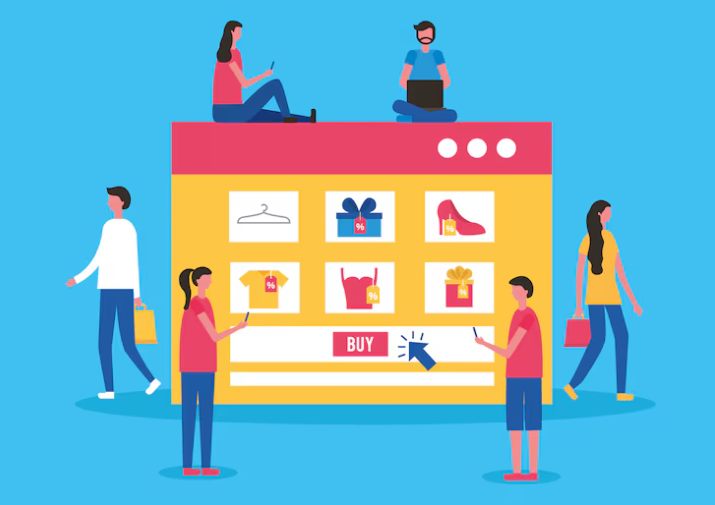
If you’ve ever come from traditional eCommerce platforms or marketplaces, your first experience with Shopify’s structure can feel a little unfamiliar. Many merchants look for “categories,” only to discover that Shopify doesn’t use the concept in the usual way. Instead, Shopify relies heavily on collections — powerful, flexible groups of products that can behave like categories but offer far more customization.
Understanding the difference between categories and collections, how to structure them, and how to use them wisely is crucial for building a store that feels intuitive, scalable, and SEO-friendly. In this guide, we break down the details, look at how Shopify organizes content by design, and help you build a strategy that makes navigation simple for your customers and profitable for your brand.
Shopify does not have a built-in “category” system like WooCommerce, Magento, or Amazon. Instead, merchants often refer informally to “categories” when talking about how they want to group similar products. This leads to confusion because Shopify intentionally avoids rigid category hierarchies. Its architecture prefers flexible, dynamic groupings rather than fixed parent-child structures.
The idea is that you can create any type of group — seasonal, functional, aesthetic, promotional — without being tied to one taxonomy. What people traditionally think of as categories (like Men, Women, Accessories) simply become top-level collections or navigation menu items that act like categories but don’t force you into a strict hierarchy. This gives Shopify stores more freedom to rearrange, expand, or pivot product groupings whenever needed.
Collections are Shopify’s official method of grouping products. A collection contains products that you choose manually or that shop automatically includes using rules. Because Shopify lets you create unlimited collections and use multiple collections per product, you gain more flexibility than a rigid category tree ever allows.
Collections can function like:
This system helps merchants scale fast because product organization can adapt as inventory changes, without having to rebuild entire category structures from scratch.
Manual collections let you hand-pick every product. They’re perfect when you want full control, especially for curated selections or special promotions.
Manual collections are best for things like:
Because you must add products one by one, manual collections work best when the product count is small or when you require high curation. They are not ideal for large inventories or stores that update hundreds of SKUs every week.
Automated collections are Shopify’s most powerful grouping tool. Instead of choosing products manually, you set rules that automatically include items that meet certain criteria.
Common automation rules include:
The automation ensures the collection updates itself as you add new products. This means that if you tag a new item as “summer,” it instantly appears in all relevant collections without extra work.
Automated collections shine in larger stores or in stores where inventory rotates quickly, helping maintain freshness and consistency with minimal effort.
Shopify’s platform was designed for merchants who want to grow without worrying about rigid storefront structures. Categories in traditional systems require predefined hierarchies. They are useful but become restrictive when your product line expands or changes frequently. Shopify solves this by enabling stores to build “fluid taxonomies,” meaning you can group products in numerous ways simultaneously.
This is especially useful for modern brands whose customers shop by themes, styles, or values rather than strict hierarchy. Shopify collections let you build an experience driven by behavior and discovery, not just structure.
Most Shopify store owners use collections to serve as categories by mapping them through the navigation menu. “Men,” “Women,” “Accessories,” “Home,” or “Sale” may all be collections, even if customers interpret them as categories. When you connect collections to menus, the end result feels exactly like a traditional category system.
This approach gives you the best of both worlds:
The only difference is behind the scenes, where Shopify does not force strict parent-child category relationships.
Product types are single attributes that each product can have. Think of them as internal categories used to organize products in the backend, not the frontend. For example:
Product types help with reporting and automated collections but do not appear in navigation unless you build a menu around them. Some stores use product types as pseudo-categories, but their main purpose is internal structure and automation.
Tags are another way Shopify keeps product organization dynamic. Tags are incredibly powerful when used well, because they feed automated collections and help merchants segment inventory. But when used poorly, tags can become messy, inconsistent, and hard to manage.
Stores should define a tagging system early on to prevent chaos later.
Tags are best used for:
Tags complement collections by giving you more nuanced filtering and grouping capabilities.
Collections should be your default approach for shaping the primary navigation of your Shopify store. Because customers expect to browse by category-like structures, collections fill that role. It’s common to build menu items based on collections such as:
These create a traditional browsing experience even though Shopify uses collections under the hood.
Collections are one of the strongest SEO assets in Shopify. Because each collection has its own page, description, images, and meta fields, they can rank like category pages on other platforms.
Collections help SEO when you:
This structure gives you the flexibility to build topic clusters around product types or themes.
Although Shopify doesn’t support hierarchical categories natively, you can still build a nested navigation experience using menus. For example:
Women
– Tops
– Bottoms
– Dresses
– Accessories
Each sub-item leads to another Shopify collection. The store feels like it has multiple category layers even though everything is powered by collections.
This layered structure helps customers navigate more intuitively while still keeping Shopify’s backend simple.
Smart stores use collections that speak directly to customer behavior. This enables marketing teams to create highly targeted landing pages. These collections go beyond simple categories and instead focus on need-based navigation.
Examples include:
Behavior-based collections make shopping more personal and enjoyable.
Large stores rely heavily on automated collections to manage thousands of SKUs. Without automation, it becomes impossible to keep collections updated.
Automated collections help large stores:
This system becomes more powerful when combined with consistent product types and tags.
Too many stores add dozens of tags to each product without structure. This leads to inconsistent spelling, duplicate tags, and confusion when creating automated collections. A structured tagging system should be documented early and followed consistently.
Unlimited collections can tempt merchants to create clusters for every small purpose. Over time, this dilutes the customer experience. Instead of creating a new collection for every idea, ensure each one has a strong purpose and long-term impact.
Some merchants create rigid “category-like” collections and refuse to change them even when scaling. Shopify's flexibility is a strength — collections should evolve over time. Avoid locking your store into a rigid structure that no longer fits your growth.
The best way to decide is to remember that Shopify does not intend categories to exist natively. Collections replace them entirely and provide more freedom.
Choose collections when you need:
The idea is to think in themes and behaviors rather than traditional parent-child relationships. This approach unlocks more creative merchandising possibilities and ensures your store can grow without breaking.
Understanding the difference between categories and collections in Shopify helps you build a store that’s both flexible and scalable. While traditional platforms rely on rigid category trees, Shopify favors dynamic groupings that adapt as your product catalog grows. Collections give you the power to create intuitive navigation, SEO-friendly landing pages, seasonal assortments, curated lookbooks, and behavior-driven experiences — all without the limitations of fixed categories.
When you master how collections, product types, and tags work together, your store becomes easier to manage and more enjoyable for customers to explore. Embrace Shopify’s flexible system, and you’ll build an organizational structure that supports your long-term growth and merchandising creativity.




