 New to Shopify? Free trial, then $1/month for your first 3 months. Start free trial →
 Where is your store?
Ryviu works with both – pick yours to continue.









Customer reviews are one of the most influential elements in ecommerce, shaping trust, credibility, and purchasing decisions. However, simply enabling reviews on your store does not guarantee that customers will actively leave feedback. The placement and presentation of the “Write a Review” button play a crucial role in encouraging customers to share their experiences.
When positioned thoughtfully, this button becomes a natural extension of the customer journey rather than an interruption. In this article, we explore the most effective places to add a “Write a Review” button, explain why each location works, and share best practices to maximize clicks and submissions. We’ll also walk through how to customize the button using Ryviu to better align with your store’s design and engagement goals.
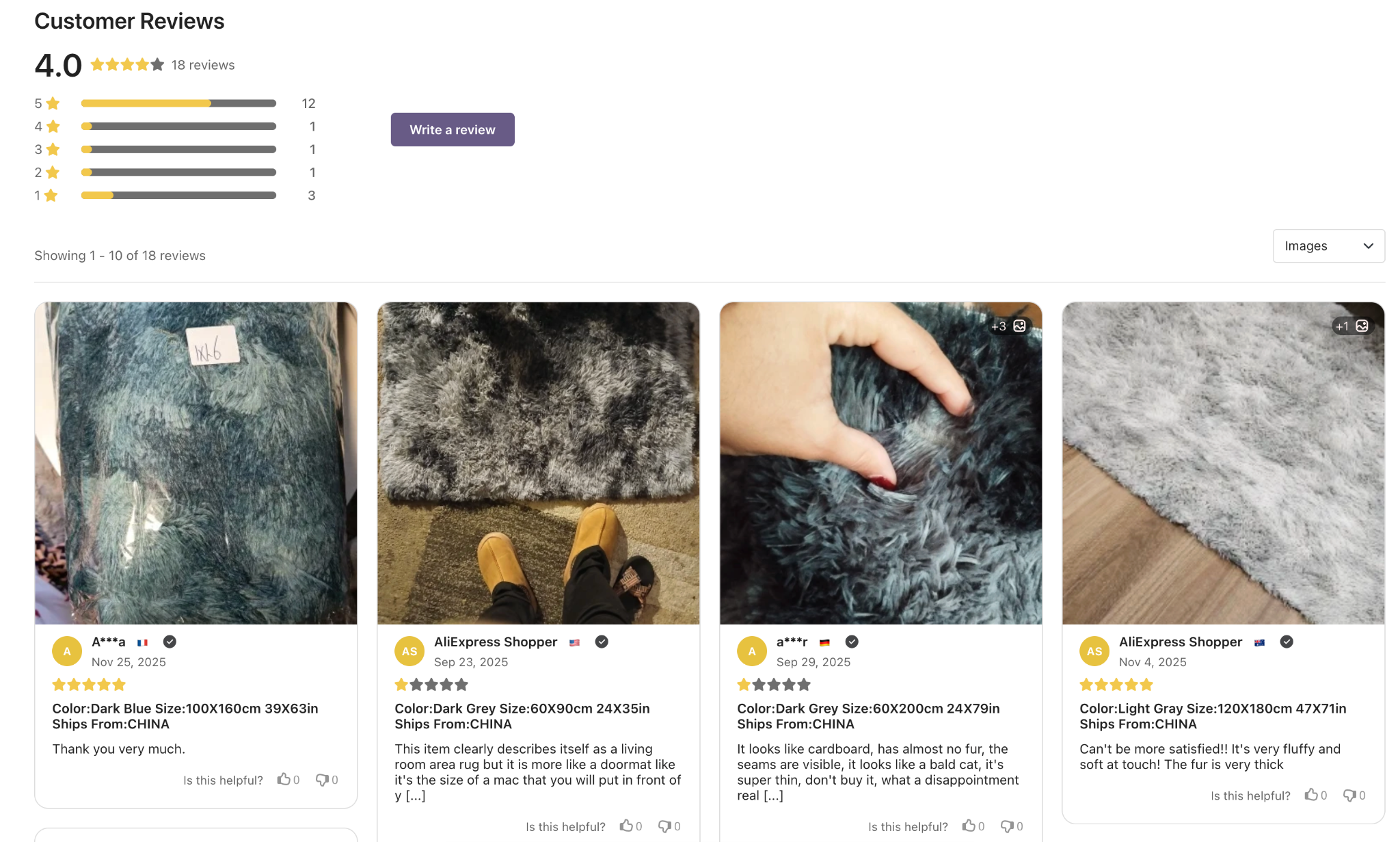
Leaving a review requires time and intention, even from satisfied customers. If the option to write a review is hidden, poorly timed, or visually unappealing, many shoppers will skip the opportunity altogether. Strategic placement removes these barriers by meeting customers where they already feel comfortable sharing feedback.
An effective “Write a Review” button should feel visible without being intrusive, helpful without being pushy, and accessible without disrupting the purchasing flow. When these elements come together, review collection becomes consistent and scalable.
Different placements serve different moments in the customer journey. By understanding user intent at each stage, merchants can position the button where it feels most natural and effective.
The product page is the most expected location for a “Write a Review” button. Shoppers who scroll to the review section are already evaluating opinions, which makes this an ideal moment to invite them to contribute their own.
Placing the button above the review list or beside the review heading ensures visibility while keeping the experience contextual and unobtrusive.
For products that require explanation or comparison, placing the button after the product description allows customers to absorb key details first. This placement encourages more thoughtful and relevant reviews.
A short introductory line can smoothly transition users from reading product information to sharing their experience.
A floating or sticky “Write a Review” button remains accessible as customers scroll through the page. When designed subtly, it provides convenience without interrupting browsing or purchasing behavior.
This approach works best when the button is visually lightweight and positioned away from primary conversion actions.
Post-purchase environments are highly effective for collecting reviews. Adding a “Write a Review” button next to past orders creates a strong contextual reminder for customers who have already used the product.
This placement often results in more detailed and trustworthy feedback, as it targets verified buyers.
The thank you page captures customers at a moment of satisfaction and engagement. While it may be too early for a full review, introducing the option here plants the idea for future feedback.
A soft, optional prompt works best, ensuring customers do not feel pressured immediately after checkout.
Choosing the right location is only part of the equation; the way the “Write a Review” button is designed and supported has a direct impact on whether customers actually engage. Small improvements in clarity, accessibility, and messaging can significantly increase submission rates.
To consistently encourage customers to take action, merchants should focus on creating a seamless and reassuring review experience from the moment the button appears.
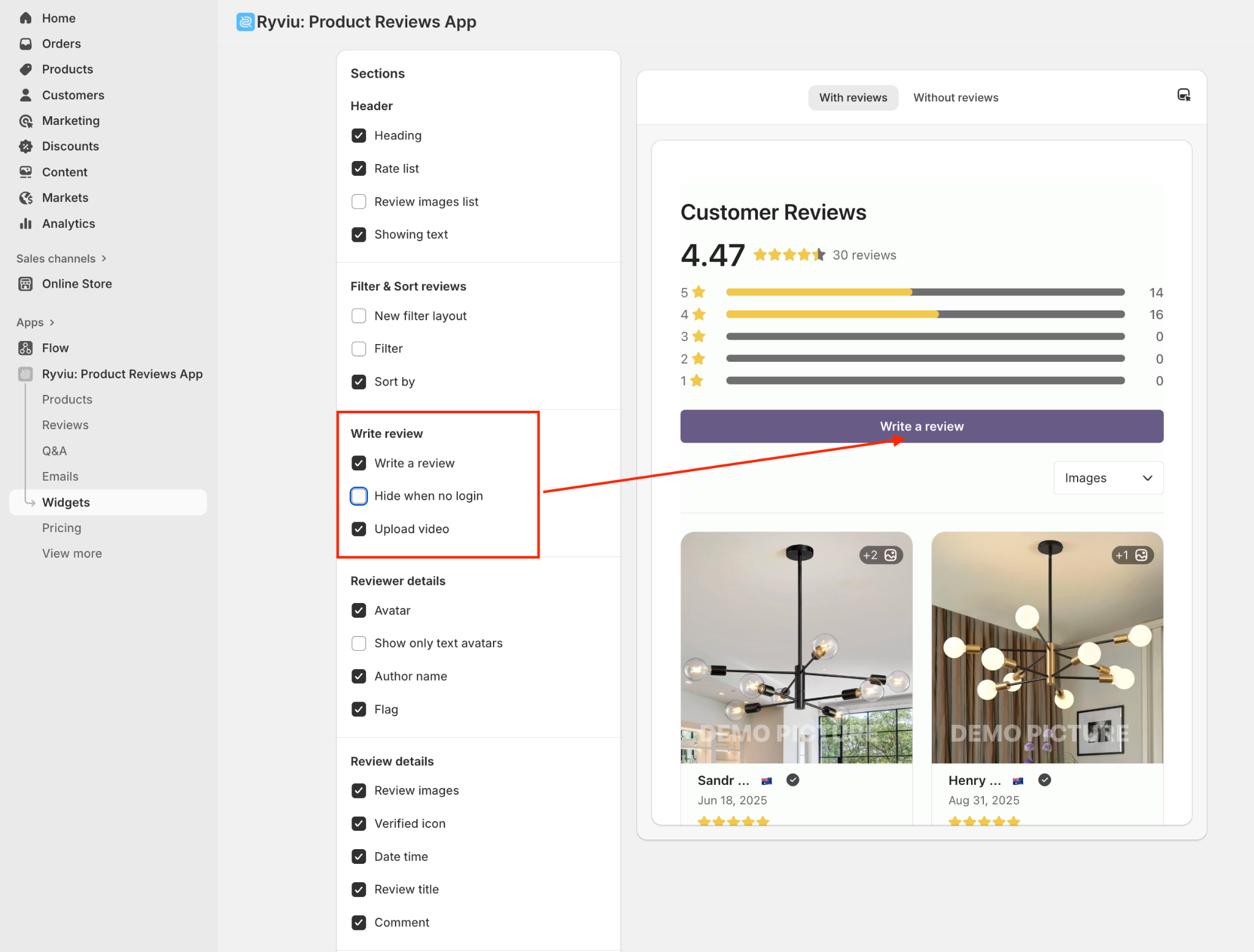
Ryviu is a comprehensive Shopify review app designed to help merchants collect and showcase customer feedback effectively. In addition to managing reviews, Ryviu provides flexible customization options that allow store owners to control how review prompts appear across their storefront. This makes it easier to align the “Write a Review” button with both branding and user experience goals.
With Ryviu, merchants can customize the button’s appearance, text, and color without complex setup, ensuring the review invitation feels native to the store rather than added on.
The “Write a Review” button may be a small element, but its placement and execution have a significant impact on review quantity and quality. By positioning it at the right touchpoints and following best practices for design and usability, merchants can encourage more customers to share authentic feedback.
When combined with Ryviu’s customization tools, the button becomes more than a feature, but it becomes a strategic asset that builds trust, improves conversions, and supports long-term growth.




