 New to Shopify? Free trial, then $1/month for your first 3 months. Start free trial →
 Where is your store?
Ryviu works with both – pick yours to continue.








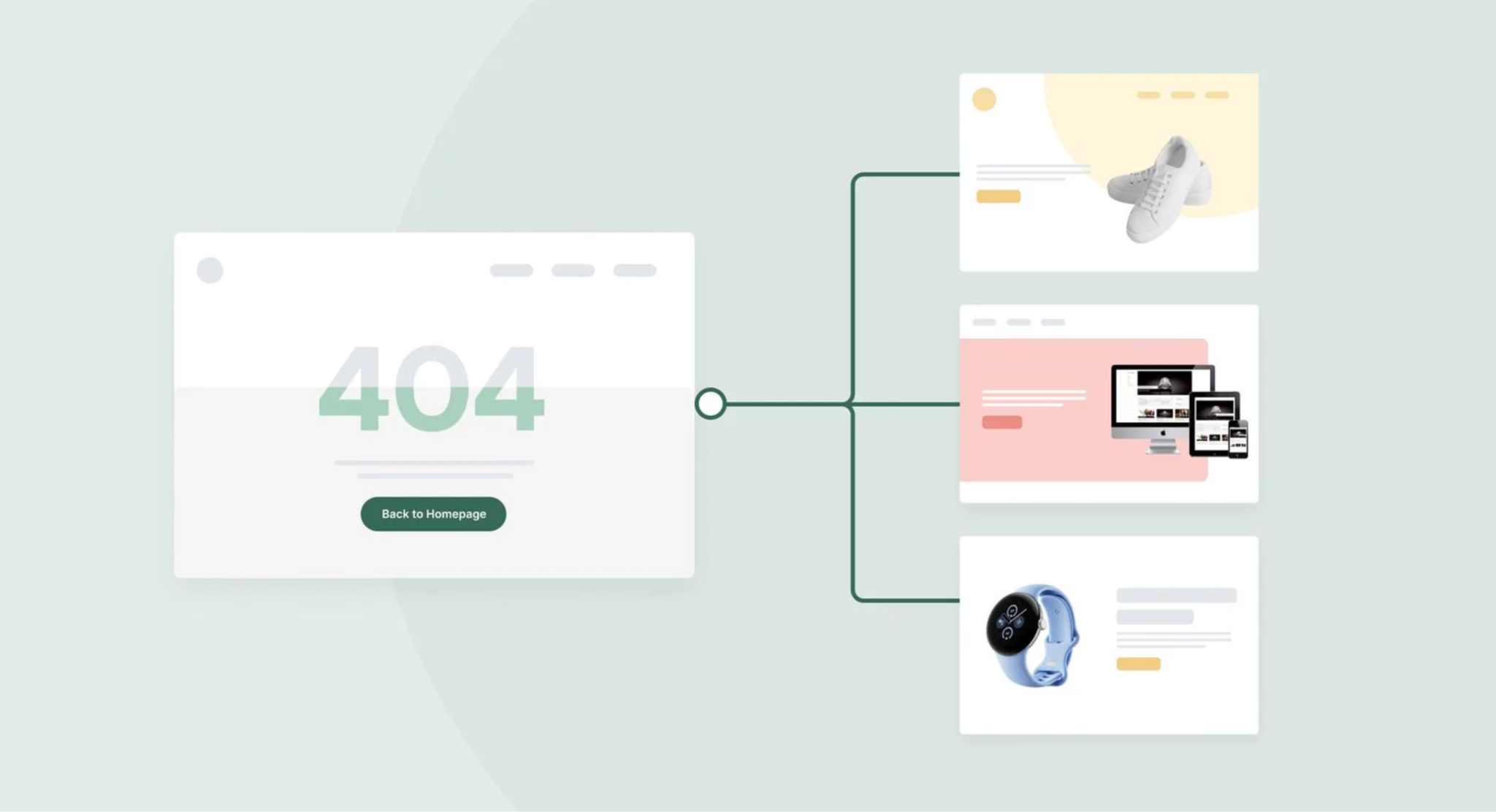
Shopify is a powerful eCommerce platform, but even the best stores face one inevitable issue: broken links and outdated URLs. Whether products are discontinued, collections are reorganized, or URLs change due to SEO updates, visitors may encounter 404 error pages. These errors can frustrate shoppers, reduce conversions, and even impact your search engine rankings. Without proper management, these small errors can turn into lost traffic and lost revenue.
The solution is to implement smart redirect rules. Redirects automatically guide visitors and search engines to the correct page, preserving traffic, conversions, and SEO value. A thoughtful redirect strategy not only fixes broken links but can also improve the overall user experience and strengthen your website’s authority.
In this guide, we’ll walk through how to build smart redirect rules for Shopify step by step, providing actionable tips and strategies to make your store more resilient and user-friendly.
Redirect rules are a quick fix for broken links, which is a crucial component of an effective SEO and customer experience strategy.
Smart redirect rules are proactive. Instead of waiting for broken links to appear, you can anticipate changes and ensure visitors always reach relevant pages. This approach makes your Shopify store more reliable, professional, and conversion-friendly.
Before setting up redirects, you must first determine which URLs are at risk of breaking. This includes product pages that are discontinued, collections that have been reorganized, and pages removed during a redesign.
The first step is critical, if you don’t know which URLs need attention, no amount of redirects will help. By identifying problematic URLs in advance, you can prioritize those with the highest traffic and most SEO value.
To start, follow these steps:
By systematically identifying URLs that need attention, you lay the foundation for a redirect strategy that protects both your traffic and revenue. The more organized this step is, the smoother the next steps will be.
Shopify supports several types of redirects, with 301 (permanent) and 302 (temporary) being the most common. Choosing the right type of redirect ensures search engines and users are guided correctly.
Once you know which URLs require redirection, you need to determine the type of redirect that fits each scenario. This choice has a direct impact on SEO, so it’s worth taking the time to plan.
Consider the following:
By carefully selecting the redirect type, you ensure a smooth transition for both visitors and search engines. This step prevents SEO loss and keeps your site’s structure logical and user-friendly.
Shopify includes a built-in URL redirect feature that makes creating redirects straightforward. Using this feature correctly ensures that your store maintains traffic flow even after URL changes.
Now that you know which URLs need redirection and the type of redirect to use, it’s time to set them up in Shopify. The platform’s built-in tools make this process simple, even for stores with many pages.
Here’s how:
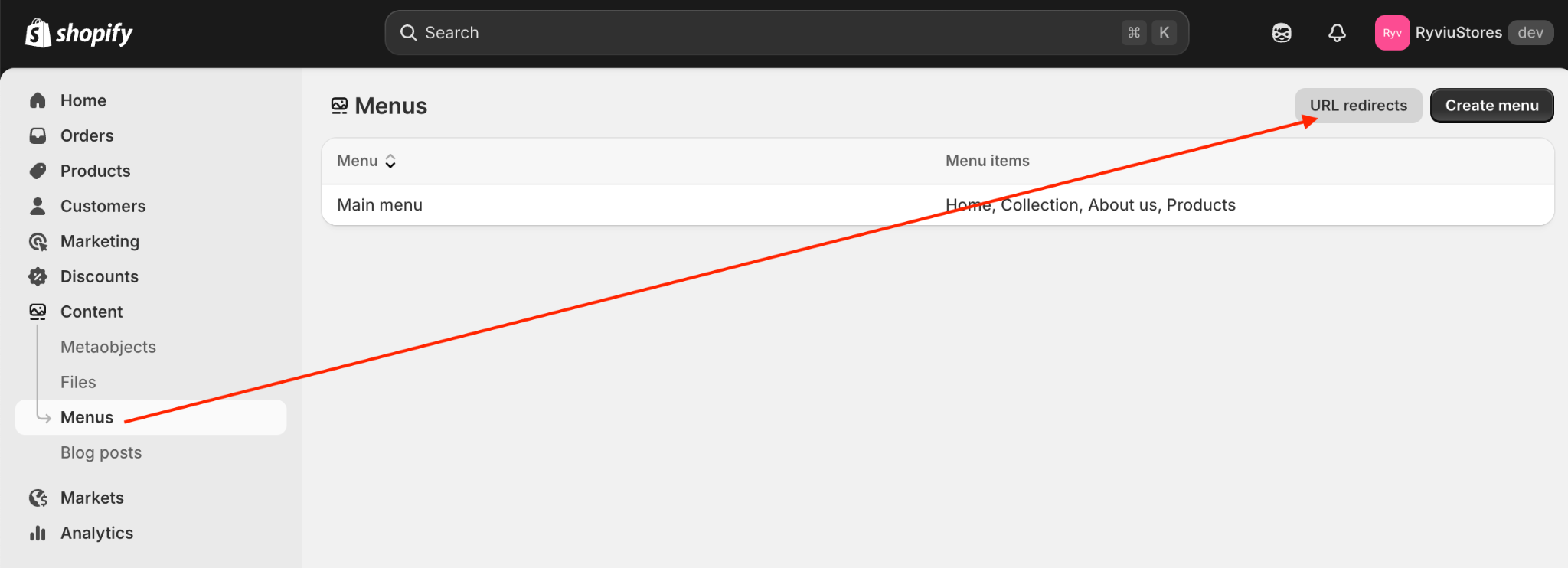
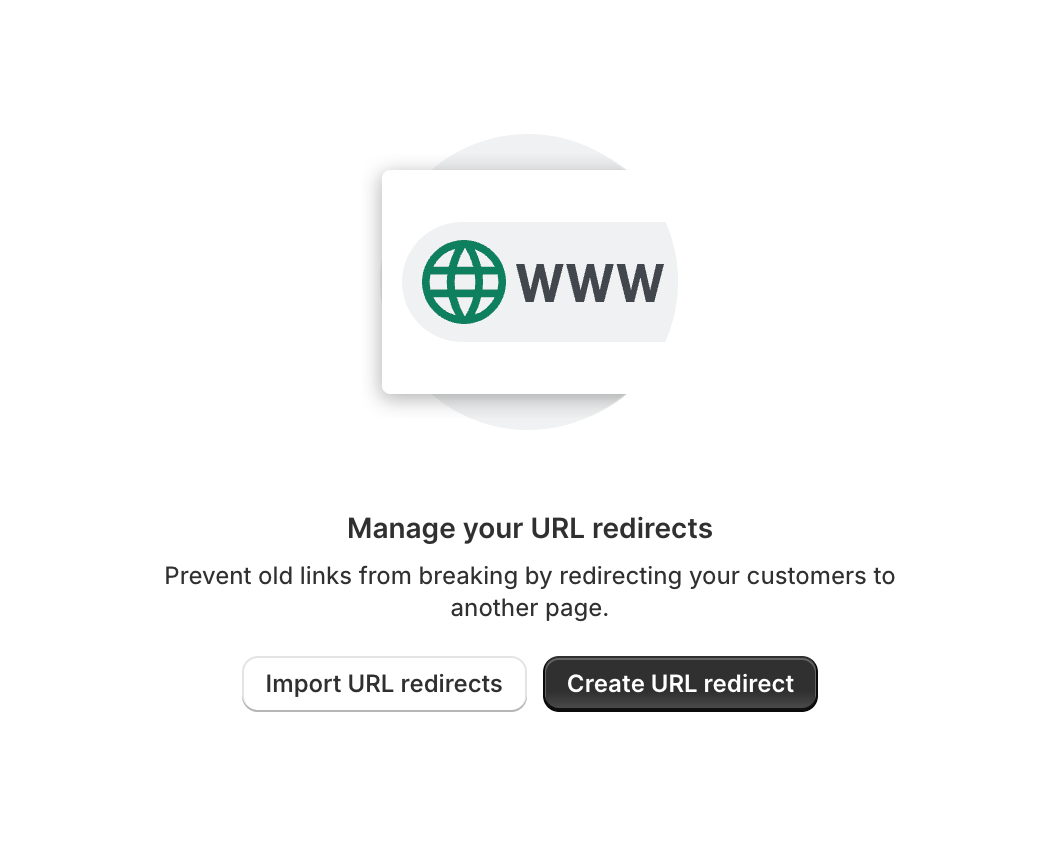
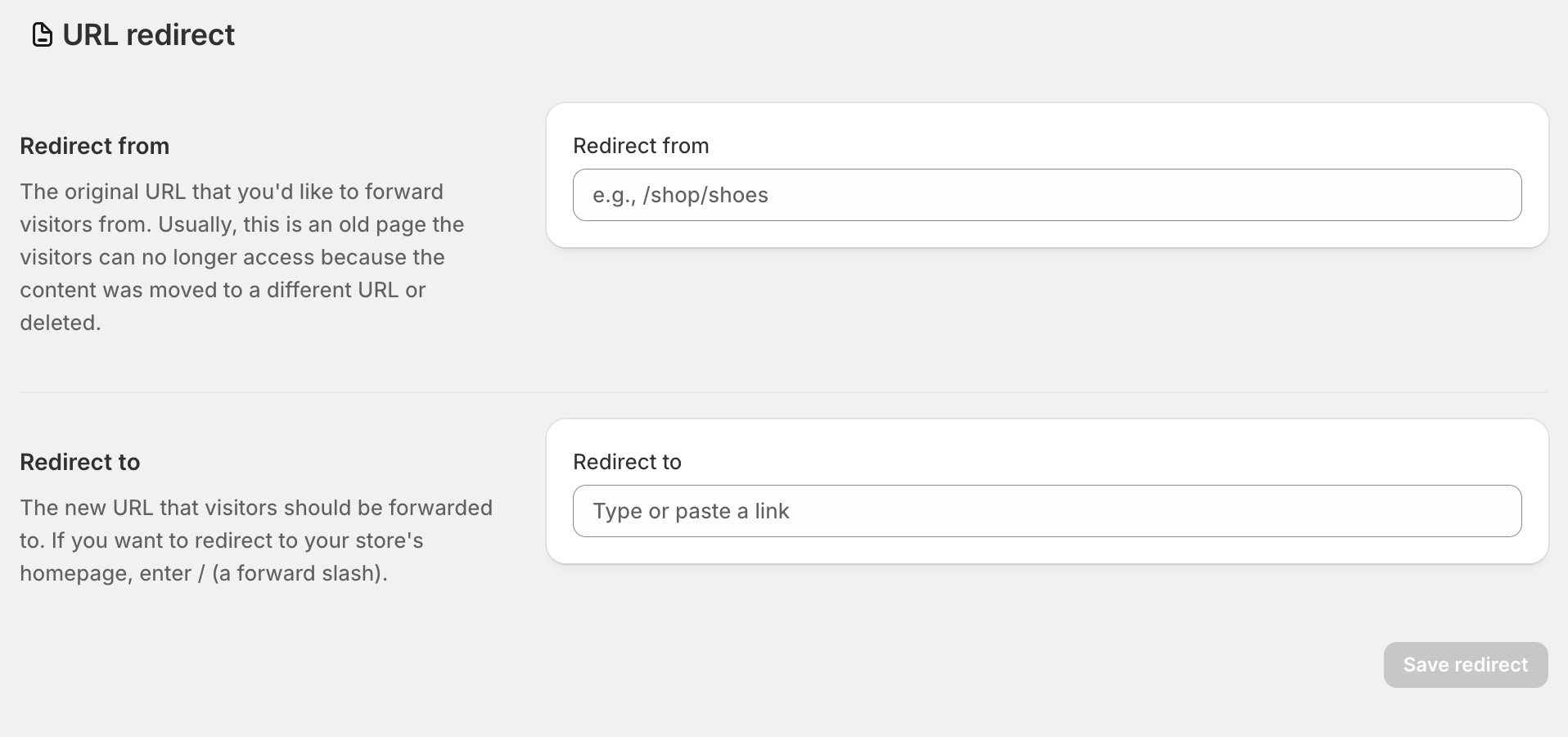
For stores with a large number of URLs to redirect, Shopify allows bulk import via CSV files, which is ideal for large-scale migrations, seasonal updates, or reorganizing collections. This feature saves time and ensures that multiple redirects are applied accurately without manual entry.
Setting up redirects properly at this stage prevents future broken links and ensures that every visitor is guided to a live, relevant page.
Managing individual redirects can be time-consuming for stores with hundreds or thousands of URLs. Pattern-based redirects allow you to automatically redirect multiple URLs that follow a similar structure, making your workflow much more efficient.
Once individual redirects are in place, you can scale your strategy using pattern-based rules. These are especially useful during major product or collection reorganizations.
For example:
Pattern-based redirects save significant time and reduce human error. They ensure that even during large-scale updates, your store remains fully functional and user-friendly.
Setting up redirects isn’t a one-time task. Websites evolve constantly, and new broken links can appear due to product deletions, URL changes, or app integrations. Regular monitoring and optimization keep your store healthy.
To maintain an effective redirect strategy, you need to check for errors and optimize as needed. Proactive maintenance prevents problems from affecting user experience and SEO performance.
Continuous monitoring ensures your redirect strategy adapts as your store grows, keeping both visitors and search engines happy.
Smart redirect rules are a crucial element of Shopify store management. By identifying old URLs, choosing the right redirect types, implementing them efficiently, and continuously monitoring performance, you protect SEO value, enhance the customer experience, and recover lost traffic.
Redirects are not only technical fixes, but they are opportunities to guide visitors seamlessly, improve conversions, and strengthen your online presence. Investing time in building and maintaining smart redirects ensures your Shopify store runs smoothly, even as products, collections, and URLs change.
A thoughtful, well-maintained redirect strategy is a long-term investment in your store’s usability, SEO performance, and overall success.




