 New to Shopify? Free trial, then $1/month for your first 3 months. Start free trial →
 Where is your store?
Ryviu works with both – pick yours to continue.









Comparing product reviews from AliExpress and Amazon on a large scale is challenging because the quality of reviews might differ significantly based on the particular product and the reviewer.
The fact that Amazon has a greater global customer base and a longer history of providing customer reviews means that it may have more reviews accessible for a particular product.
Additionally, Amazon is a well-established company with a strong reputation. Buyers trust Amazon for its popularity and way of handling claims, which may lead some customers to have more trust in its reviews. They mostly were written by real users
and give a lot of information and real experience about product quality.
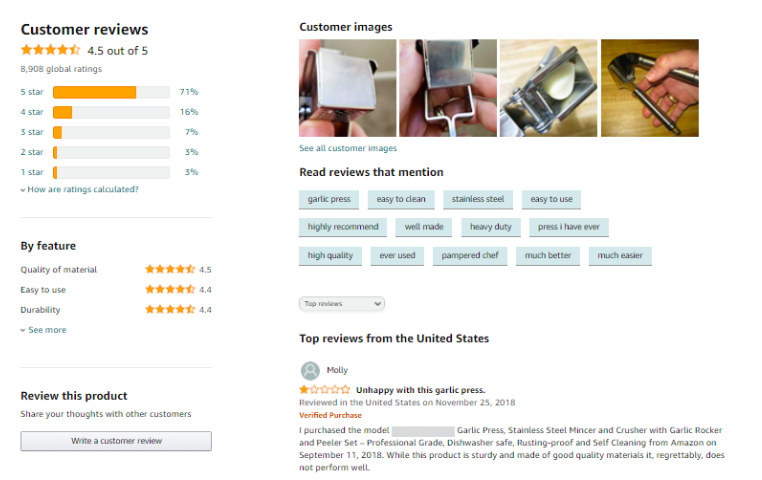
It is also important to keep in mind that the methods used for moderating and verifying reviews on AliExpress and Amazon can vary. Amazon has stricter policies in place to try to ensure the authenticity of its reviews, while AliExpress may have a higher proportion of fake or biased reviews as a result of its less stringent review moderation process. Nevertheless, this does not imply that all evaluations on AliExpress are false or untrustworthy, it is still possible to find useful and accurate reviews on the platform.
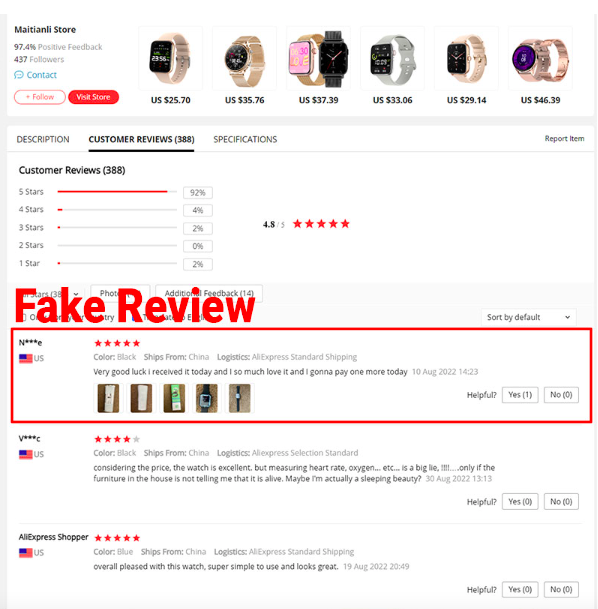
The reviews on Amazon are more trusted than on AliExpress. Thereby, it has a great impact on customers' purchasing decisions, helps increase your store conversion rate.
In case, you want to import reviews from Amazon, you should install Ryviu app premium version with the cost starting at $5.24/month. With Ryviu, you can easily import Amazon reviews with just drag and drop steps.
If you need further information, please contact us via live chat or email.




