 New to Shopify? Free trial, then $1/month for your first 3 months. Start free trial →
 Where is your store?
Ryviu works with both – pick yours to continue.








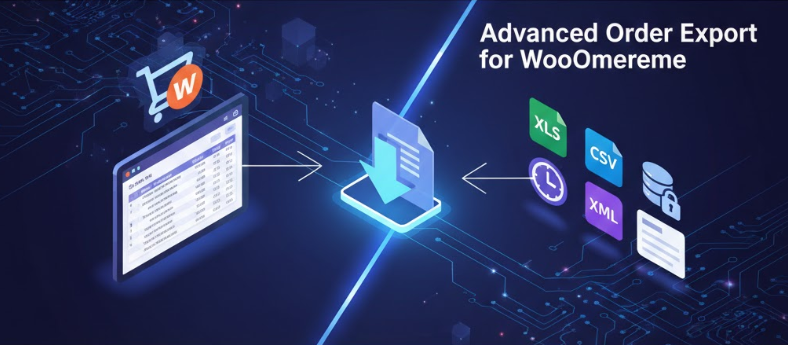
As WooCommerce stores grow in scale and complexity, exporting orders becomes far more than a basic administrative task. In 2026, merchants rely on order data for accounting, fulfillment automation, customer analysis, tax reporting, CRM syncing, and performance tracking across multiple systems. A simple CSV export from the dashboard is rarely enough. Advanced order export allows you to filter, format, automate, and distribute order data exactly how your business needs it.
This guide walks through how to create advanced order exports for WooCommerce, explaining the strategy behind clean data, the tools available, and how to design export workflows that scale smoothly with modern eCommerce operations.
Orders are no longer just records of sales. They represent customers, revenue streams, logistics workflows, and compliance obligations. Each order contains insights that power decision-making across teams.
Advanced export enables you to turn raw order data into structured, usable information.
WooCommerce stores in 2026 often operate across multiple channels, currencies, tax rules, and fulfillment partners. Manual exports introduce errors and delays.
Automated, rule-based exports reduce risk and improve speed.
WooCommerce orders include much more than product names and totals. They store metadata related to:
Advanced exports depend on understanding how this data is stored and accessed.
WooCommerce distinguishes between standard order fields and custom metadata added by plugins, themes, or integrations.
Advanced exports must account for both, especially in customized stores.
Before choosing tools or settings, clarify why you are exporting orders. Different goals require different structures.
Common use cases include accounting reconciliation, warehouse fulfillment, marketing analysis, and compliance reporting.
Key questions include:
Clear answers prevent rework later.
WooCommerce’s default export tools are suitable for basic needs but limited in flexibility. They usually export:
These limitations make them unsuitable for advanced workflows.
For quick snapshots or small stores, native exports can be sufficient. They can also serve as a baseline for understanding data structure.
However, scaling requires more control.
In 2026, advanced order export plugins are the most efficient way to handle complex requirements. They provide UI-based configuration without heavy development.
Popular plugins focus on flexibility, automation, and compatibility.
Most advanced export plugins allow:
This turns WooCommerce into a data hub.
Each export format serves different purposes. CSV is simple and widely supported, while XLSX offers richer structure for spreadsheets.
XML and JSON are better suited for system integrations and APIs.
Choose formats based on where data goes next. Accounting systems may prefer structured spreadsheets, while APIs expect JSON or XML.
Consistency is more important than novelty.
Advanced exports allow filtering orders by creation date, completion date, or status. This prevents exporting unnecessary data.
Status-based filtering is especially important for fulfillment and accounting workflows.
You can filter orders by:
These filters make exports actionable rather than overwhelming.
Exporting every field increases file size and confusion. Advanced exports focus on relevance.
Select fields that directly support the intended workflow.
Advanced plugins allow renaming fields to match external system requirements. This reduces manual mapping later.
Column order also matters for readability and compatibility.
Some exports focus on order summaries, while others need line-item details.
Understanding the difference helps avoid misinterpretation of data.
For stores with variants, exporting attributes like size, color, or SKU is critical for fulfillment accuracy.
Advanced exports ensure this data is clearly structured.
Tax and fee data is often complex and jurisdiction-specific. Incorrect exports can lead to compliance issues.
Advanced exports allow precise handling of these values.
You may need to export:
Clear separation simplifies accounting reconciliation.
Many WooCommerce stores use plugins that add custom order fields, such as delivery dates or gift messages.
Advanced export tools allow you to pull these fields directly.
Understanding meta keys ensures correct data extraction. Incorrect mapping leads to missing or misaligned data.
Testing exports is essential.
Manual exports introduce delays and errors. Automated exports ensure data flows consistently.
Automation is especially valuable for high-volume stores.
Advanced exports can run:
Choosing the right trigger depends on your workflow.
Advanced exports can send files via:
This eliminates manual handling.
Well-structured exports feed directly into accounting software, CRMs, or ERPs.
This integration reduces duplicate work and errors.
Order exports often include personal and financial data. Security must be prioritized.
Limit access and encrypt data transfers where possible.
Data protection regulations continue to evolve. Ensure exports comply with applicable privacy laws.
Export only what is necessary.
Even well-configured exports can fail due to edge cases.
Testing ensures data integrity before relying on automation.
Check:
Ongoing validation prevents silent errors.
Refunds complicate exports. Decide whether to include refunds as separate records or adjusted totals.
Advanced exports support both approaches.
Partial refunds require careful field mapping to avoid financial discrepancies.
Clarity here protects reporting accuracy.
Large stores must handle export performance carefully. Exporting thousands of orders can strain servers.
Incremental exports reduce load.
Design exports that remain usable as order volume grows.
Future-proofing saves time later.
Too many fields reduce usability. Focus on clarity.
More data is not always better data.
Exports should match how recipients actually use the data.
Always design from the user’s perspective.
Order exports are becoming part of automated pipelines rather than standalone files.
This improves real-time decision-making.
Advanced tools increasingly adapt exports based on order context, reducing manual rules.
Intelligent exports improve efficiency.
Creating advanced order exports for WooCommerce in 2026 is no longer optional for growing stores. As operations become more data-driven and interconnected, clean, flexible, and automated exports are essential for accuracy, speed, and scalability.
By understanding WooCommerce’s order structure, defining clear export goals, choosing the right tools, and designing thoughtful workflows, merchants can transform raw order data into reliable business intelligence. Advanced exports reduce manual effort, minimize errors, and create a foundation for sustainable growth in an increasingly complex eCommerce environment.




